


PDF Reader Home- File Viewer
3.119.00 Reviews
App Specs
- Version
- 1.0.4
- Updated On
- License
- Free
- Downloads
- 500,000+
- Developer
- Nanjing Argon Blue Technology Co., Ltd.
- Categories
- Productivity
- Platform
- Android
Screenshots
 Analysis by AppCompare
When a document will not open at the moment you need it, a reader app can feel like a small but important part of your day. PDF Reader Home- File Viewer is a free productivity app from Nanjing Argon Blue Technology Co., Ltd., aimed at people who want to read documents on a phone. I would approach it as a straightforward place to try opening and reviewing files, rather than assume it will replace a dedicated office suite or every tool already on your device.
Where people can get stuck
The first hurdle with any document reader is often finding the file, not reading it. A PDF may be in an email attachment, a downloads folder, a messaging conversation, or a cloud account, and those locations can make a simple task feel like a scavenger hunt. My practical advice is to first locate the document in the phone’s file manager or the app where it arrived, then use the available open or share option to pass it to the reader. If it does not appear in a recent-files view, that does not necessarily mean the file is gone; check its original location before downloading another copy.
A second source of confusion is the difference between viewing a document and changing its contents. Marking up a page, editing text, and converting a file are separate jobs, and they do not always produce the same kind of result. Before relying on a mobile reader for a form or work document, make a copy and test the intended change on that copy. That small precaution helps avoid overwriting the version you were sent, especially when you are working quickly on a phone.
A sensible first setup
PDF Reader Home- File Viewer has a 3.1 average from 621 ratings, so I would treat it as an option worth testing against your own everyday documents rather than a guaranteed fit for everyone. It has over 500K installs and is rated for Everyone. The app was released on Dec 23, 2025, and its current version is 1.0.4; it requires Android 6.0 or later. Those details make it reasonable to check compatibility before installing, particularly if you use an older phone or tablet.
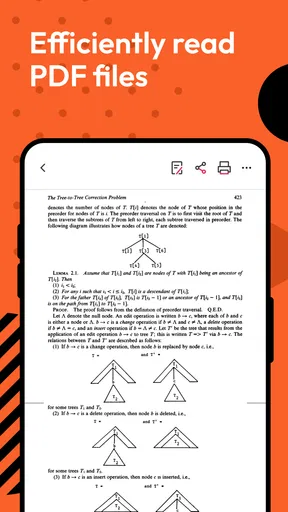
After installing, I would start with a harmless document rather than a sensitive or time-critical one. Open a PDF you already have, check that the pages display as expected, and try basic navigation before building the app into a routine. If you plan to use annotations, test whether your markings remain visible after closing and reopening the file. If you intend to share a copy, check which version is being sent and where it is saved. These simple checks give you a clearer idea of whether the app suits your workflow without risking an important original.
The app is most appealing when your main need is to get a document onto a phone screen and read it without opening a full desktop-style editor. For a student reviewing class handouts, a commuter checking a timetable PDF, or someone looking over a receipt while away from a computer, that focused use can be enough. It is less suitable as the only tool for complex editing, collaborative document work, or situations where you need a thoroughly tested process for handling confidential files.
Making document reading work in everyday use
I find the most useful way to judge a phone-based document reader is to follow a file from arrival to later retrieval, rather than only checking whether it opens once. I’d pay particular attention to where the original and any working copy end up, since that small habit can prevent confusion when a document needs to be shared or revisited.
Worth Reading Before You Choose

Flipboard Shows What News Apps Must Do Beyond the Feed

Switching to Android Auto Means Rethinking Your Driving Routine

Google Calendar Makes a Crowded Week Easier to Manage

Ludo King Makes the Most of the Minutes Between Plans

Baby Panda World Brings Quick Play to Modern Phones, but Its Game Library Feels Busy

ESPN’s Live Game View Makes Following Close Games Easier
Recovering a stalled workflow
If a file will not open, I would troubleshoot the document before blaming the reader. Confirm that the download finished, try opening another known-good PDF, and return to the source to obtain a fresh copy if the problem affects only one file. If several documents fail, close and reopen the app, then check that the device has enough free space for normal file handling. These are general checks, not a promise that every damaged or unusual document can be recovered.
When a document seems to disappear, retrace the route it took to the phone. An attachment might still be inside an email rather than saved locally; a file received through a messaging app may be in that app’s own folder; and a cloud document may need to be made available on the device before another app can open it. I find it useful to keep a clear working copy in a location I can identify, especially when a document will be needed offline or shared later.
For a realistic example, imagine receiving a multi-page travel confirmation while heading out. I would open the attachment, make sure the key pages are readable, and keep track of the original location so I could retrieve it again if needed. If I wanted to mark an important detail, I would test that action on a duplicate first and then reopen the saved result. This is not elaborate document management, but it avoids the common mistake of assuming that a note on screen has automatically become a durable, shareable change.
When the phone or file is the real obstacle
Some frustrating reading problems have nothing to do with the app itself. A weak connection can interrupt a cloud download, a file may be incomplete, or the document may use a layout that is difficult to read on a small screen. If one document looks wrong while another opens normally, I would compare the files and retrieve a clean copy before changing my app setup. If the same issue follows a file into another reader, that is a useful clue that the source document or its formatting may be the cause.
Screen size is another practical limit. A page designed for printing can force frequent zooming and panning on a phone, even when the viewer is working as intended. For a short notice, that trade-off is acceptable; for a long report with tables or dense columns, a larger screen or a desktop PDF program may be much more comfortable. Likewise, if you need to revise paragraphs, preserve exact page layout, or collaborate on a shared draft, a dedicated editing suite is usually a better starting point than a reader-first app.
Choosing it over familiar alternatives
Most phones already offer some way to preview a PDF, and that built-in option can be the quickest choice for a one-off attachment. A dedicated reader becomes more worthwhile when you regularly return to documents and want a consistent place to open them. Compared with a full office suite, a reader-focused app can feel less involved for simple reading, but a suite is generally the more sensible choice when editing and document creation are central to the task. I would not install another app just for the sake of having one; I would use this one if its handling of my own files makes repeated reading easier.
One useful habit is to separate “read,” “mark up,” and “edit” in your mind before starting. For a document you only need to consult, avoid making a working copy unless you need one. For something you must annotate or alter, preserve the original and check the result afterward. That approach is especially helpful when moving between a phone reader, a cloud folder, and a separate editing app, because it reduces the risk of confusing an unchanged source with a modified copy.
PDF Reader Home- File Viewer is free, which makes trying it a low-commitment way to see whether it fits your routine. Still, a free app is not automatically the best choice for every task. If your priority is a particular advanced editing workflow, dependable handling of specialized documents, or a screen designed for prolonged reading, compare it with tools already available on your device before settling on it. The sensible test is not how many features sound useful, but whether the app reliably opens the files you actually receive.
My practical verdict
I see PDF Reader Home- File Viewer as a candidate for everyday document access, especially for someone who wants to check PDFs away from a computer and is willing to test the app with ordinary files first. Its 3.1 average suggests that I would keep expectations measured and judge it by my own experience rather than assume universal reliability. If a file matters, keep the original, verify any saved changes, and have another way to access it until you know how the app behaves with your documents.
For quick reading on a compatible Android device, it may be worth trying; for intensive editing, difficult layouts, or a workflow where a missed page would cause real trouble, I would choose a more specialized option or a larger-screen setup. That distinction is the key to deciding whether this reader belongs on your phone: it can be useful as a practical document stop, but I would not make it the sole solution for every file-related job.
Features That Stand Out
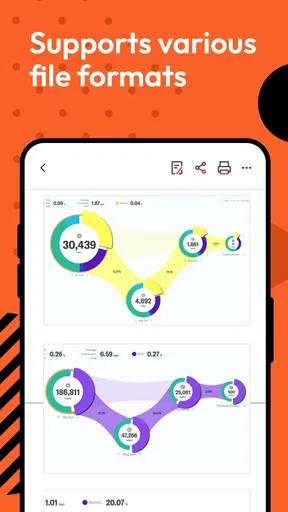
One of the standout features is the app's ability to handle a variety of document formats. Whether it's PDFs, Word documents, or even PowerPoint presentations, this app has got you covered. The conversion feature is a true gem, allowing users to convert PDFs into editable text files without breaking a sweat. This is especially handy when you need to make quick edits on the go.
Another highlight is the annotation tools. Using these tools, you can underline, highlight, and add notes to your documents, making it perfect for students or professionals who love to jot down their thoughts directly onto the text. The app also supports cloud storage integration, so you can easily sync your documents across devices, ensuring you always have the latest version at your fingertips.
Performance and Reliability
In terms of performance, the app runs smoothly on both Android and iOS devices. I didn’t experience any lag or crashes, even when handling large files. The app is lightweight, which means it won't hog your device's resources, a major bonus if you're running low on storage or battery life. The search function is surprisingly robust, allowing you to find specific text within documents quickly.
Security is also a top priority here. The app provides password protection for sensitive documents, ensuring your confidential information remains safe. This feature is particularly useful for business users who need to keep their documents secure while on the move.
Integration and Compatibility
One of the things I love about PDF Reader Home- File Viewer is its seamless integration with other apps. Whether you want to share a document via email, upload it to a cloud service, or even print it out directly, this app makes it incredibly straightforward. The compatibility with other apps and services minimizes the hassle of switching between different platforms.
Final Thoughts
All in all, PDF Reader Home- File Viewer is a powerhouse of an app that delivers on its promises. It's feature-rich, user-friendly, and performs reliably, making it an essential tool for anyone who frequently deals with documents on their mobile device. Whether you're a student, a professional, or just someone who loves reading PDFs, this app is worth checking out. So, if you haven’t already, give it a whirl and see how it can simplify your document management tasks!
Pros
- User-friendly interface
- easy to navigate.
- Supports multiple file formats seamlessly.
- Fast loading times for large documents.
- Offline access without internet.
- Annotation tools enhance usability.
Cons
- Ads can be intrusive and frequent.
- Limited editing features in free version.
- Occasional crashes on older devices.
- Some features require a subscription.
- File organization could be improved.
FAQs for PDF Reader Home- File Viewer
What features does PDF Reader Home offer?
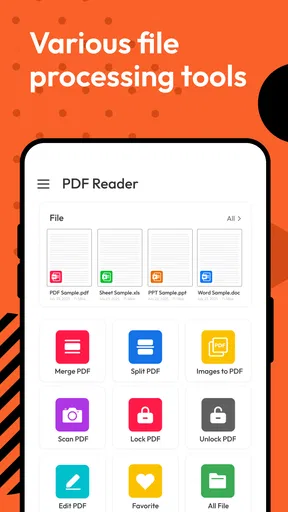
PDF Reader Home offers a range of features including viewing, annotating, and editing PDF documents. It supports easy navigation with bookmarks and thumbnails, and allows users to highlight text, add notes, and fill forms. The app also offers cloud integration for syncing across devices.
Is PDF Reader Home free to use, or does it require a subscription?
PDF Reader Home is free to download and use with basic features. However, there are in-app purchases and a subscription model that unlocks premium features such as advanced editing tools, additional cloud storage options, and an ad-free experience.
Can I use PDF Reader Home offline?
Yes, PDF Reader Home allows users to access and read documents offline. However, features that require internet connectivity, such as cloud syncing and downloading new files, will not be available until you are back online.
What platforms is PDF Reader Home compatible with?
PDF Reader Home is compatible with both Android and iOS devices. It is designed to offer a seamless experience across smartphones and tablets, ensuring that users can access their documents on any device they own. Updates are regularly provided to enhance compatibility with the latest OS versions.
How secure is my data in PDF Reader Home?
PDF Reader Home takes data security seriously. It implements robust encryption protocols for data stored on the cloud. Users can set passwords and restrictions on sensitive documents to prevent unauthorized access. It is advisable to regularly update the app to benefit from the latest security enhancements.


